CodeBold
Commerce
000
00 / Hello

From the supplier to the counter. One system.

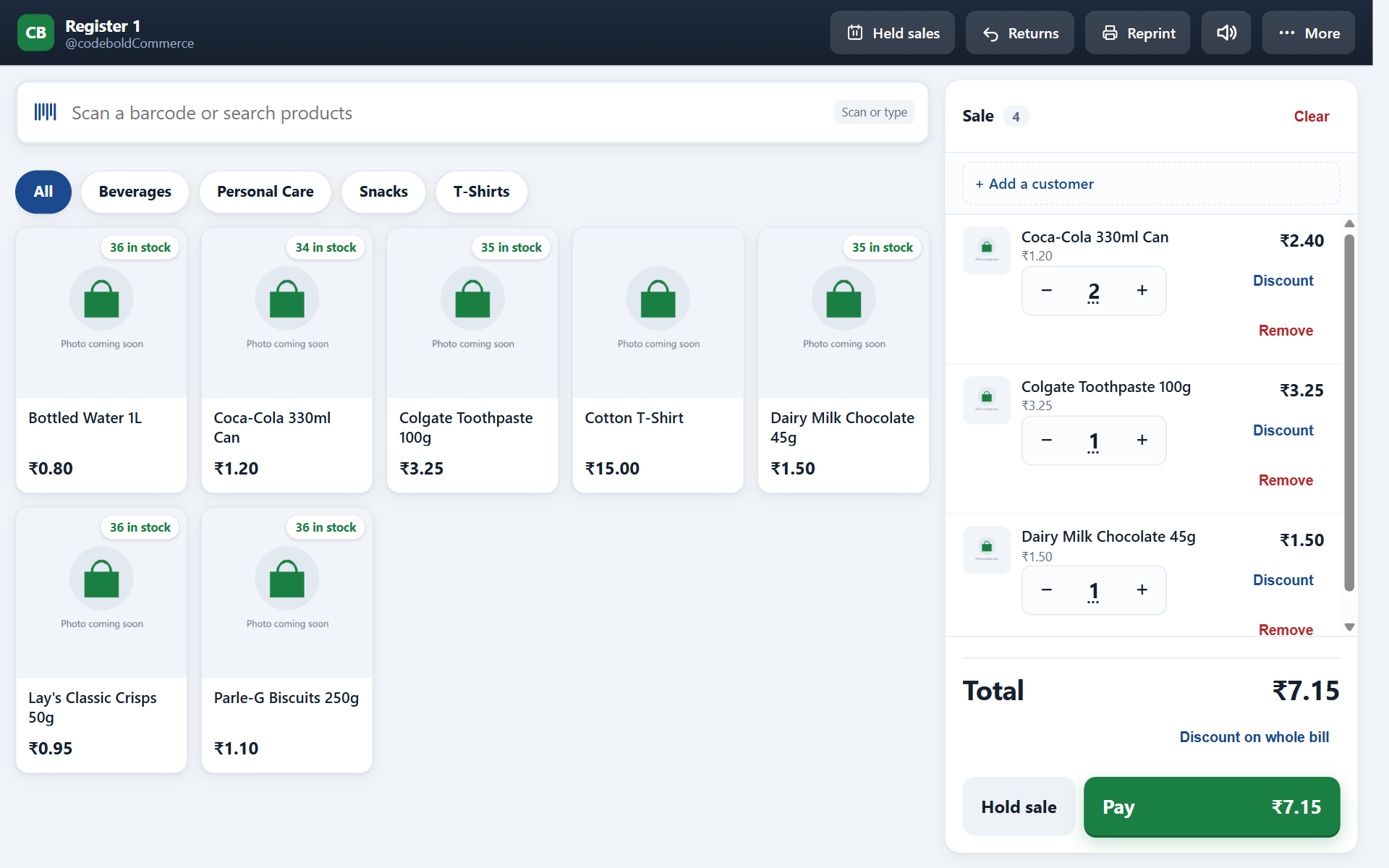
Most WooCommerce plugins give you a till, and leave the stockroom to somebody else. Or they give you a stockroom that has never taken a sale. CodeBold Commerce does the whole shop — order it, receive it, label it, sell it, cash up, count it — inside the WooCommerce you already run, on your own server.

Free core on WordPress.org · Self-hosted · GPL

Online0 queued
Sale
Tap a product to add it.
Total0.00
A working sketch of the till — tap a product, take payment, then switch the internet off.
01 / The whole shop

Half a shop
is no shop.

A till that cannot raise a purchase order still leaves you ordering stock in a spreadsheet. A stockroom that cannot take a sale still leaves you typing the day's takings in by hand. Either way you are running two systems and reconciling them on a Sunday.

The counter

A real till

Scan or search, variant badges on the tile, park a sale, split the tender, refund by receipt number, open and close a shift with a float and a Z report.

The stockroom

A real stockroom

Suppliers with lead times, purchase orders, receiving, weighted-average costing, stock takes, transfers between outlets, barcode labels. Not an add-on. In the box.

Both at once

One set of numbers

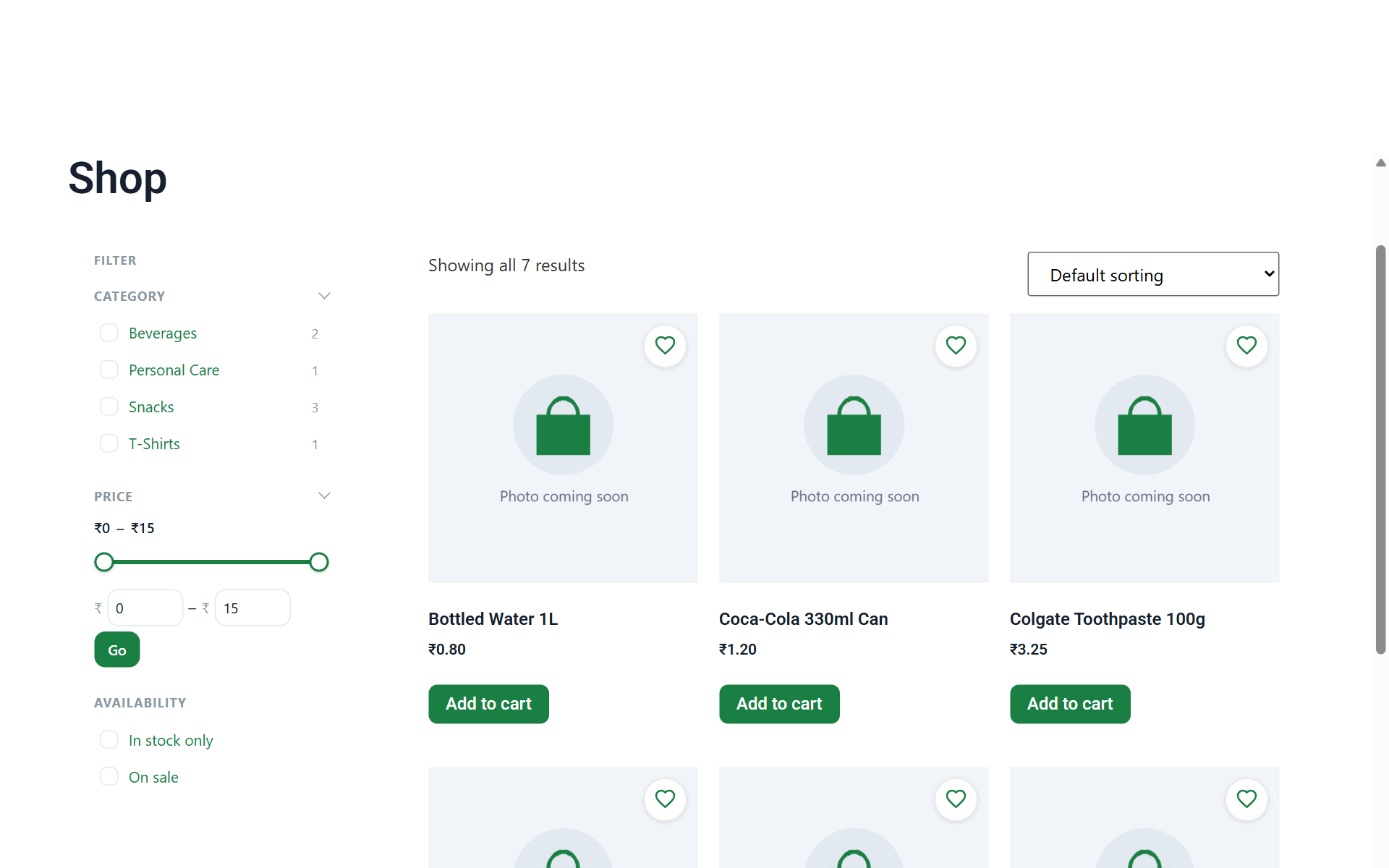
Sales are written through WooCommerce's own order system. The counter, the website and your accountant read the same figure, because there is only one figure.

02 / What it is

A till and a
stockroom. In the
browser you
already have.

Install a plugin, open a page, sell. There is no separate account to create, no catalogue to import, no app store, and nothing to keep in step overnight. The products are the products you already have; the orders are the orders you already read.

It is meant for the person standing at the counter. Not a warehouse team, not a franchise chain — a shop with one till, or four, and a stockroom behind it.

Android tabletiPadLaptopPhone
Stock spreadsheet Takings notebook Hosted till login Nightly sync Sunday reconciling
One system
One login · one set of numbers
Five places your shop’s numbers live today
03 / The journey
01

Order it

It starts with a supplier, not a sale. Suppliers carry lead times, so reordering stops being a guess about when the van turns up.

  • Suppliers with lead times
  • Purchase orders raised against a supplier
  • A size-by-colour grid for garments — forty lines entered as one grid
Your order to the supplierSurat Mills

You need kurtas in 3 colours and 4 sizes. Tick the boxes instead of writing twelve lines.

Ordering 0 pieces. They arrive in about 12 days.

02

Receive it

This is where cost is learned. Record what actually arrived — not what you ordered — and the weighted-average cost updates itself. Margin stops being a guess too.

  • Receive against the order, short deliveries included
  • Weighted-average costing, carried forward
  • Every movement written to the ledger: who, when, why
The delivery arrivesCounting it in

You ordered 40. Count what is actually in the box.

0 turned up.

Each one really cost — worked out from this invoice and the last one, so you never have to.

03

Label it

Stock that arrived without a barcode gets one. Print a test sheet first, so you are not burning a roll of labels finding the alignment.

  • Barcode labels from the product's own data
  • A printable test sheet before the real run
  • Stock Central: every product, every quantity, editable in place
Printing a barcodeTest sheet first

It came without a barcode. Give it one.

8901234 567890
Kurta, cotton · Indigo · M

Stick it on and the scanner knows it.

04

Sell it

Scan a barcode and it is on the sale. No barcode, or a garment that never had one? Search by name and pick the variant from badges — so the cashier is choosing, not reading.

  • USB or Bluetooth scanner, or search by name
  • Size and colour as badges on the tile
  • Park a sale, serve the next customer, come back to it
  • Refunds by receipt number, stock returned
A customer at the counterScanning

Beep. Beep. Beep. Three things on the counter.

Kurta, cottonMIndigo
Cotton dupattaCream
Leather belt34
Total to pay
05

Cash up

Print an X report mid-shift to check without closing. At the end, count the drawer and print the Z: what the till expected, what you counted, and the difference in one line.

  • Opening float, cash in and out, safe drops
  • X report mid-shift, Z report at close
  • Counted versus expected, with the variance shown
Closing the tillEnd of the day

Count the drawer. The till already knows what should be in it.

The till says you should have
You counted
Short by

Small enough to be a wrong bit of change. Big enough that you want to know.

06

Count it

The system's own figure is hidden while you count. Deliberately — seeing it first turns a stock take into a rubber stamp. Type what is on the shelf, then see the variance.

  • Blind counting, by design
  • Variance shown only after the count is entered
  • Transfers between outlets, both figures moving together
Counting the shelfRail 3

The screen will not tell you its own number until you have written yours down.

What the system thinks
Count them. Type what you see.
0|


Variance, once you have committed

Seeing the figure first turns a count into a rubber stamp.

From the supplier to the counter — 01 / 06
04 / Where it lives

Your server.
No meter.

There is no cloud service in the middle of this. The till talks to your WordPress site and nothing else. Your sales, your costs, your customers and your margins stay on hosting you control, in the database you already back up.

That is not a philosophical point. It decides what happens when a vendor changes their pricing, gets acquired, or has a bad afternoon. A subscription here buys updates and support. It does not buy permission to keep selling.

CodeBold Your counterYour WordPress server
A hosted POS Your counterVendor cloudYour WordPress server

One hop. Nothing in between to go down, change hands, or start charging per outlet.

05 / Money and tax

The till records.
Your terminal
charges.

We are going to be straight about this, because you will find out in week one anyway. The till has two tender types: cash and card. Cash calculates the change. For a card, the cashier charges it on the machine already sitting on your counter, then presses Card — and the order is marked paid with the tender recorded against it.

No browser-based till charges a card. A terminal does. Anyone telling you their web till processes the payment is describing an online checkout with a keypad drawn on it.

Your website is untouched by any of this. Razorpay, Stripe, PayPal — whatever gateway your shop runs online keeps running online, exactly as it does today.

01

Cash

Change calculated. Cash in, cash out and safe drops logged against the shift.

02

Card

Charged on your terminal, recorded on the order. One sale, one record, nothing to match up later.

03

Split

₹2,000 in cash and the rest on a card is one sale with two tender lines — not two sales.

04

More tenders

Cash and card ship, and those are the two the till knows. A developer can add others — UPI, cheque, on account — through a filter, and they show up at the counter and on the Z report like the built-in two. Gift cards are not among them: that is store credit, which the plugin does not keep.

05

Tax

WooCommerce’s own tax engine, not a second one. The GST you set for your website is the GST charged at the counter, broken down by rate on the receipt, with a live preview before anything reaches the paper. Filing stays with your accountant.

06 / Roles and permissions

Hiding a menu
is not a
permission.

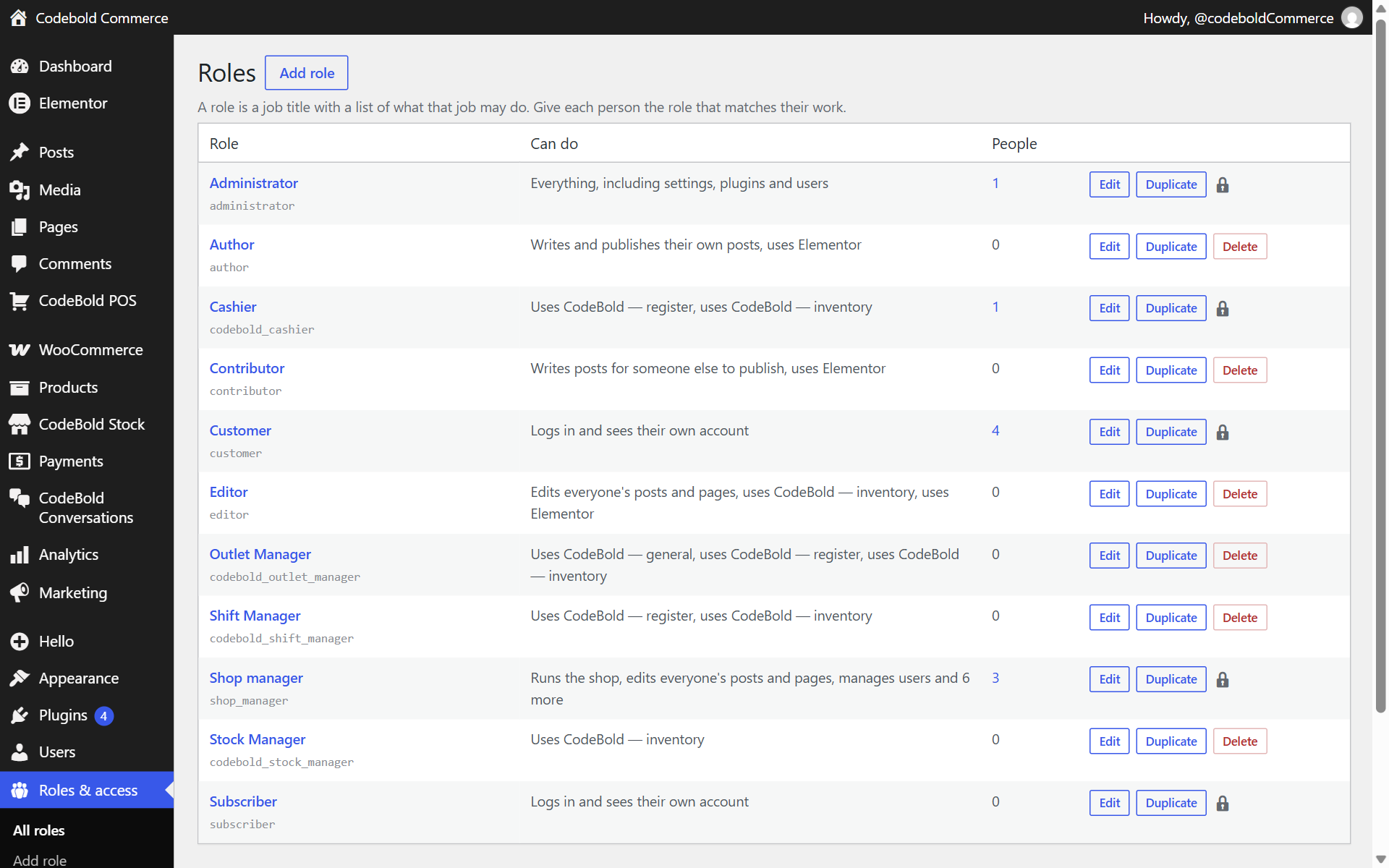
Plenty of software greys out a button and calls it security. A hidden link is still reachable by typing the address into the bar. Ours refuses: every screen checks the capability twice — once when the menu is registered, and again when the page renders.

Twenty-six capabilities in four groups — four for the suite, twelve for the till, eight for inventory, two for membership — and four ready-made roles you can use as they are or take apart. Each capability is separate, so a cashier can refund without being able to discount.

One thing it will not do: lock an administrator out of their own site. That guard is deliberate.

The twelve till capabilities. Inventory, suite and membership groups are on the Members page.

07 / When the line drops

Two tills.
One number
each.

Plenty of tills claim to work offline. The hard part is not holding a sale on a device — it is what happens when two of them come back at once. Receipt numbers here are reserved in advance, so two tills selling through the same outage cannot print the same number, and the sync tells you exactly what went through and what did not.

The screen, the products and the prices are cached. If the connection goes mid-queue, the cashier carries on: the sale is taken, the receipt prints, the change is counted.

Numbers reserved up front · queued on the device · reported on return

08 / One stock figure

Two screens.
One number.

Plugins that keep sales in their own tables leave you with two sets of figures and an evening spent reconciling them. Here every movement is written through one path — and nothing moves without the ledger recording who, when and why.

Blue kurta, size M — watch both numbers

MovementWhoWhyChange
09 / The suite
10 / Restaurant module

Sell a burger,
a bun leaves
the stockroom.

This is why an ordinary shop plugin watches a café's stock never move. A dish is not a product on a shelf — it is made of things, and some of those things are themselves made of things.

A recipe can contain a recipe. Sell one burger and everything underneath it comes out of stock, at what those ingredients cost today.

11 / Who it is for
12 / The engineering

Automated tests · 41 suites · real WordPress · real database

0

Not mocks. Each test drives the plugin the way the till does — through its own REST routes, against live orders. It is the reason we can change the payment screen on a Friday.

A

A ledger behind every movement

Nothing changes stock without recording who, when and why. It is the answer to "where did those six go?"

B

Reserved receipt numbers

Handed out in advance, so two tills selling through the same outage cannot print the same number.

C

One live shop

The suite runs a real clothing retailer. That is one deployment, described as one deployment. No install counter, no logo wall — we would have to invent them.

13 / Pricing

Free core.
One add-on.

Free

For one counter, and for finding out whether this suits your shop.

Free
On WordPress.org · no card, no trial clock
  • The whole till — cash, card, split payments, refunds, receipts
  • Offline selling and sync, with no cap on transactions
  • One location, one register
  • Stock tracked for 30 products
  • Suppliers, purchase orders, stock takes, costing
  • Shifts, cash drawer, X and Z reports
  • Sales reports by day, product, hour and staff member
See what's included
Starter

For a shop that has outgrown one till, or thirty products.

₹4,490
a year · One website
  • Everything in Free
  • Stock tracked for as many products as you sell
  • A second register on the same counter
  • Barcode label printing with no batch limit
  • Updates and email support
Buy Starter
Most shops Pro

For more than one room, or a kitchen that needs telling.

₹12,990
a year · One website · up to three locations
  • Everything in Starter
  • Up to three locations, and as many registers as you need
  • Transfers between them, and what is on the van in between
  • Stock valuation, ageing and expiry reports
  • Restaurant service — tables, kitchen screen, recipes
  • Sales reporting split by outlet
Buy Pro
Enterprise

For a chain, where the number of shops is not a fixed number.

₹20,990
a year · One website · locations without a ceiling
  • Everything in Pro
  • Locations without a limit
  • Priority support, answered first
Buy Enterprise

Every plugin is GPL. The subscription pays for updates and support, not for permission — whatever you have installed keeps working whether the key is active, expired, or never entered.

14 / Questions

Before you
install it.

Do I need to move off WooCommerce?
No. That is the point of it. The till and the stockroom sit on top of the WooCommerce shop you already run, use the products you already have, and write sales as WooCommerce orders.
How are card payments handled?
The cashier charges the card on your existing terminal, then presses Card. The till records the tender against the order; it does not process the payment itself. Cash is handled in the till, with change calculated, and a sale can be split across both. Your website's gateways are unaffected and keep working online exactly as they do now.
Is there a cloud service in the middle?
No. The till talks to your WordPress site and nothing else. Sales, costs, customers and margins live on your hosting, in the database you already back up.
What does it do that a POS plugin does not?
The supply side. Suppliers with lead times, purchase orders, receiving, weighted-average costing, blind stock takes and transfers between outlets are included rather than left to a second plugin or sold as separate extras.
What device does the cashier use?
Any device with a browser — an Android tablet, an iPad, a laptop, a phone. There is no app to install. A USB or Bluetooth barcode scanner and a thermal receipt printer are optional additions.
Does it handle GST?
It uses WooCommerce’s own tax engine, so whatever GST rates you have set for your website are the rates charged at the counter — there is no second tax setup to keep in step. The receipt shows the tax broken down by rate, and you can preview it on screen before printing. What it does not do is handle GST filing: there are no HSN codes, no GSTR returns and no e-invoicing. Your accountant’s process is unchanged.
Is the free version crippled?
No, and the list is worth reading rather than taking on trust. Free covers the whole till, offline selling, shifts and cash-up, X and Z reports, sales reports by day, product, hour and staff, Stock Central, suppliers, purchase orders, stock takes, customers, batches and expiry dates, and barcode labels fifty to a run — for one shop, one register and thirty tracked products, with no time limit. Pro is for a second location: more outlets and registers, transfers between them, reports split by outlet, stock valuation, restaurant service, and unlimited label printing. If free is all you need, keep it.
What happens if I stop paying?
The plugins keep working and your data stays where it is — in your WooCommerce database. You stop receiving updates and support for the add-on features.
Is it GPL?
Yes, all of it. A GPL licence cannot restrict what you do with the code, and pretending otherwise would be dishonest.

Raise a purchase order.
Receive it. Sell it.
All before lunch.

The core is free on WordPress.org. Put it on a staging site this afternoon and decide for yourself.