A stockroom
that has taken
a sale.
Most WooCommerce inventory plugins have never met a customer, and most WooCommerce tills have never met a supplier. This is one plugin that does both, so the cost learned when a delivery is counted in is the cost sitting behind the margin on the till.
It starts with
a supplier.
Not with a sale. Suppliers carry lead times, so reordering stops being a guess about when the van turns up.
Suppliers with lead times
Each supplier carries how long they actually take. The reorder decision stops being folklore about who is quick this month.
Purchase orders
Raised against a supplier, not floating free. Open until the last piece arrives, so a short delivery does not quietly close the order.
A size-by-colour grid
Three colours across four sizes is twelve lines typed by hand, or one grid ticked in a few seconds. Garment shops feel this on every order.
Receiving
Record what actually arrived. Forty ordered, thirty-six turned up: the four stay outstanding and the cost is worked out from the thirty-six.
Weighted-average costing
Worked out from this invoice and the last one, carried forward. Margin stops being a guess without anybody having to do the arithmetic.
Barcode labels
Printed from the product's own data, with a test sheet before the real run so you are not burning a roll of labels finding the alignment.
Blind counts,
by design.
The system's own figure is hidden while you count. Type what is on the shelf, commit it, and only then does the screen show what it thought and what the difference is.
It thought twenty-four. You found eighteen. Six are missing — and because nothing moves stock without the ledger recording who, when and why, "where did those six go?" has an answer rather than a shrug.
Stock takes
Count a shelf, a rail or the whole shop. Variance is shown after the count is committed, never before, and the adjustment is written through the ledger like every other movement.
Transfers between outlets
Both figures move together. Stock leaving one shop and arriving at another is one movement seen from two ends, not two edits somebody has to remember to make.
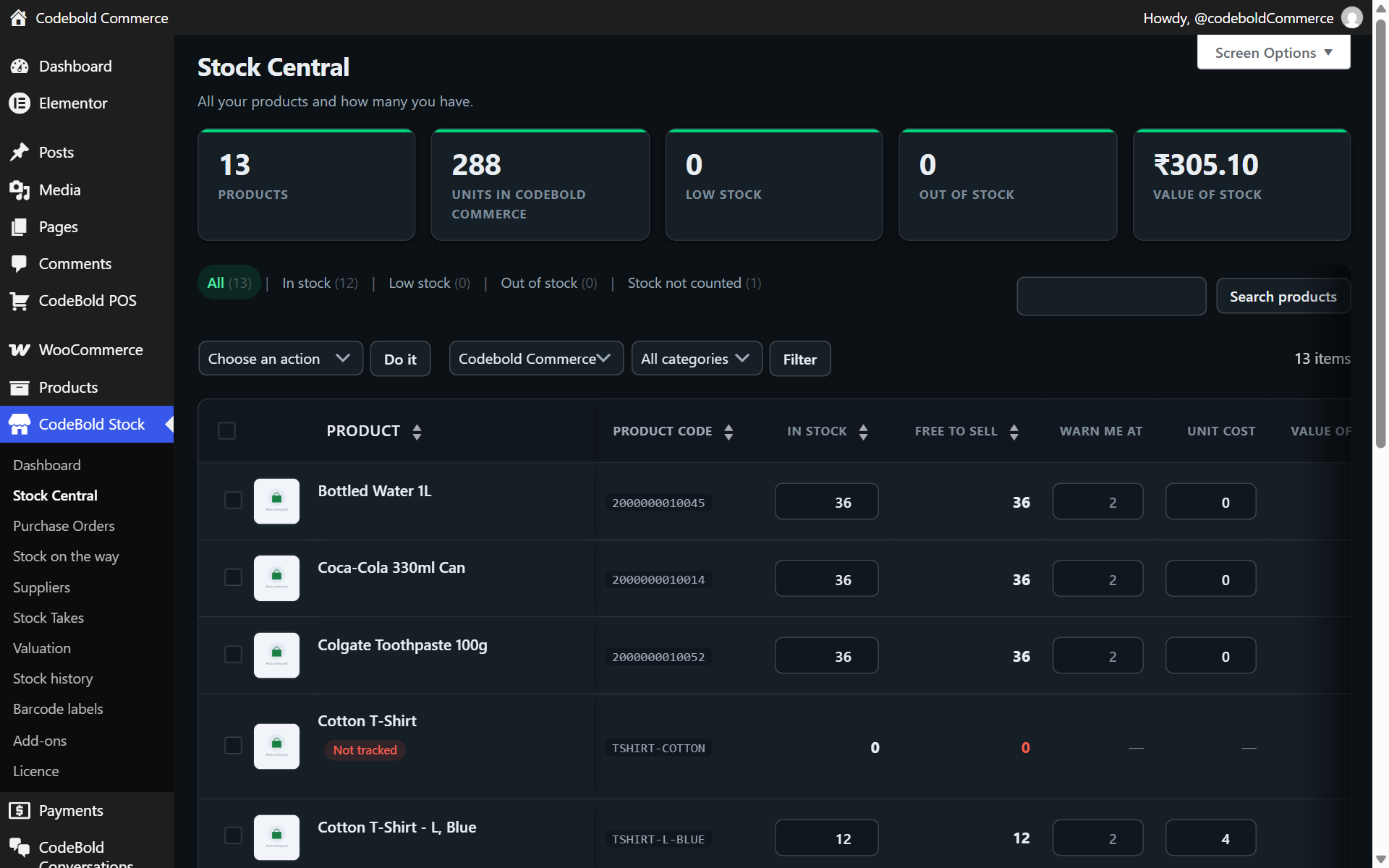
Stock Central
Every product, every quantity, editable in place. For the ordinary case of "this is wrong, fix it" without raising paperwork — and still recorded.
Nothing moves
unrecorded.
Every movement — a counter sale, a website order, a delivery, a transfer, a manual correction — is written through one path, and that path records who, when and why. It is the difference between a stock figure you can argue with and one you can only stare at.
A name, not a system
The person, the register, or the website. When a figure looks wrong, the first question already has an answer.
A reason on every line
Counter sale #1041. PO-118 from Surat Mills. Transfer to the second shop. Not "adjustment −4".
Counter and website agree
Sales are written as WooCommerce orders rather than kept in the plugin's own tables, so there is one number rather than two to reconcile.
About the
stockroom.
Do I need a separate inventory plugin as well?
Which costing method is used?
Why hide the system figure during a stock take?
Does receiving handle a short delivery?
Can I edit stock directly?
Raise a purchase order.
Receive it. Sell it.
All before lunch.
Suppliers, purchase orders, receiving, costing and stock takes are part of the add-on. The till is free.