Help shoppers
find it in
three clicks.
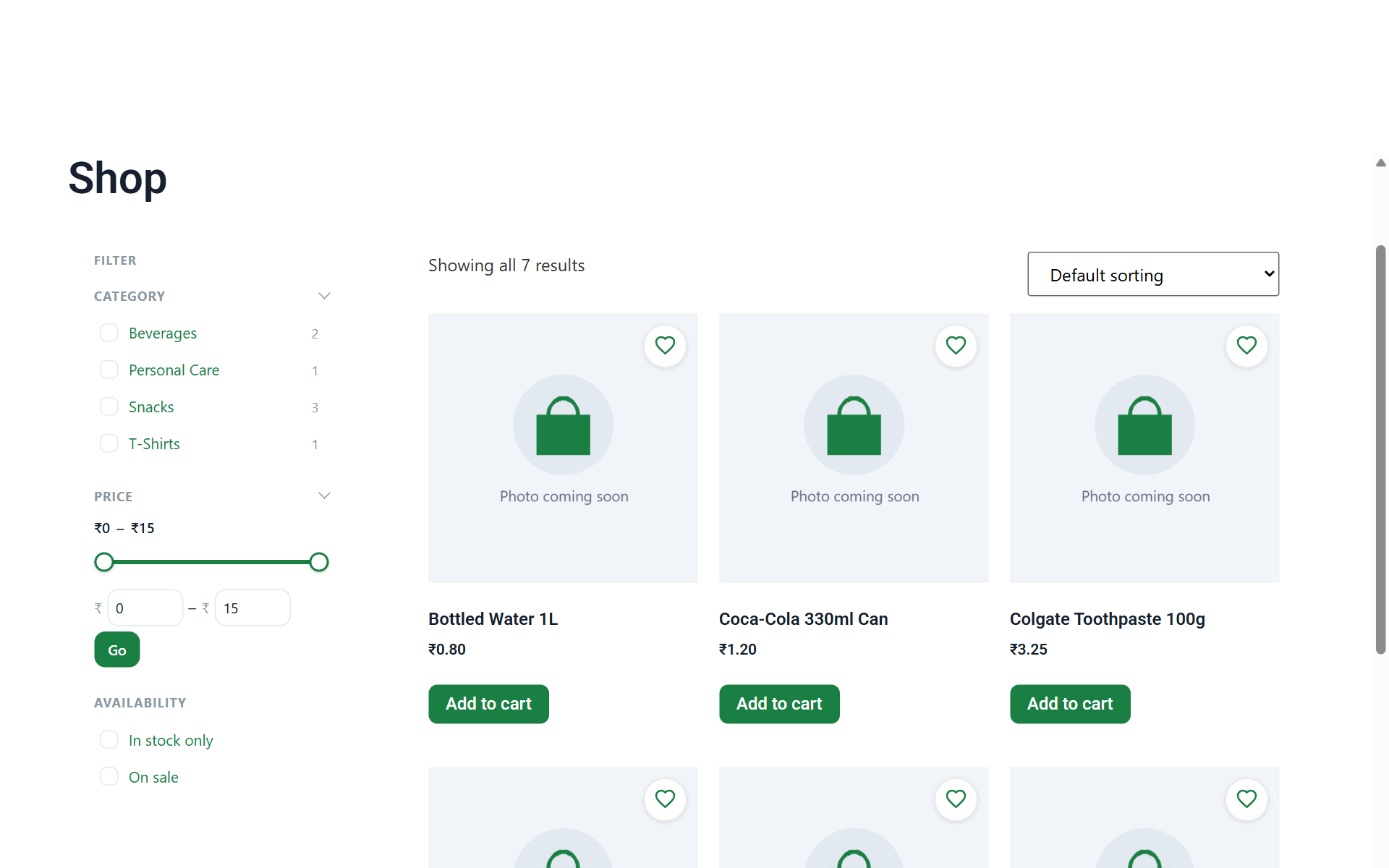
Shoppers narrow your shop by size, colour, brand and price, and see how many products each choice leaves before they click. Nobody lands on an empty page.
Shops lose people
who wanted to buy.
They cannot find it
The navy shirt in medium is on page four of ninety products. Most people give up on page two.
They get "nothing found"
They pick a size and a colour that never go together, and believe you have nothing.
They cannot share it
There is no link that means "the navy ones in medium", so whoever they send it to starts again.
Filters that
help, not hide.
Filter by anything you sell
Size, colour, brand, material, price, in stock and on sale. Colours show as colour dots and sizes as boxes. Nothing to type in twice.
A count before they click
Every choice shows how many products it leaves. A choice that would leave nothing is greyed out, not hidden.
Links that can be shared
Every choice is in the web address, so a shopper can bookmark it or send it on WhatsApp, and the back button works.
Looks like your shop
Your theme keeps drawing your products. On a phone the panel tucks behind a Filter button, beside Sort.
Works on a slow phone
Every filter is an ordinary link, so it works before the page has finished loading — and even with scripts blocked.
Does not slow your shop down
The whole panel is worked out at once, tested on shops with tens of thousands of products.
Three steps,
about five minutes.
Install it
Add it from your WordPress Plugins screen and turn it on. Filters appear using the sizes and colours your products already have.
Change what you want
One settings screen. Reorder the groups, rename anything, and watch the preview change as you go.
Things people ask.
Will it work with my theme?
Do I need to know any code?
Is the free version limited on purpose?
I have a lot of products. Will it be slow?
How many websites can one licence be used on?
What happens if I stop paying?
Free, and
what paying adds.
Everything below works forever, on one website, with no account and no card.
- Filter by size, colour, price, stock and sale
- Works with JavaScript switched off — the filter is a real form
- Any theme, block or classic, with no theme-specific setup
- A Gutenberg block and an Elementor widget
- Sizes and colours read from the products themselves
Try it free.
Decide later.
The free version is a complete filter plugin, not a trial. No account and no email address — just the plugin.