Hiding a menu
is not a
permission.
Plenty of software greys out a button and calls it security. A hidden link is still reachable by typing the address into the bar. Ours refuses: every screen checks the permission twice — once when the menu is registered, and again when the page renders.
Twenty-six,
in four groups.
Each one is separate. That is the whole point — a cashier who can refund without being able to discount is a normal thing to want, and it should not require editing code.
Suite · 4 permissions
Point of sale · 12 permissions
Inventory · 8 permissions
Membership · 2 permissions
Names shown exactly as they read on the roles screen.
Four to start
from.
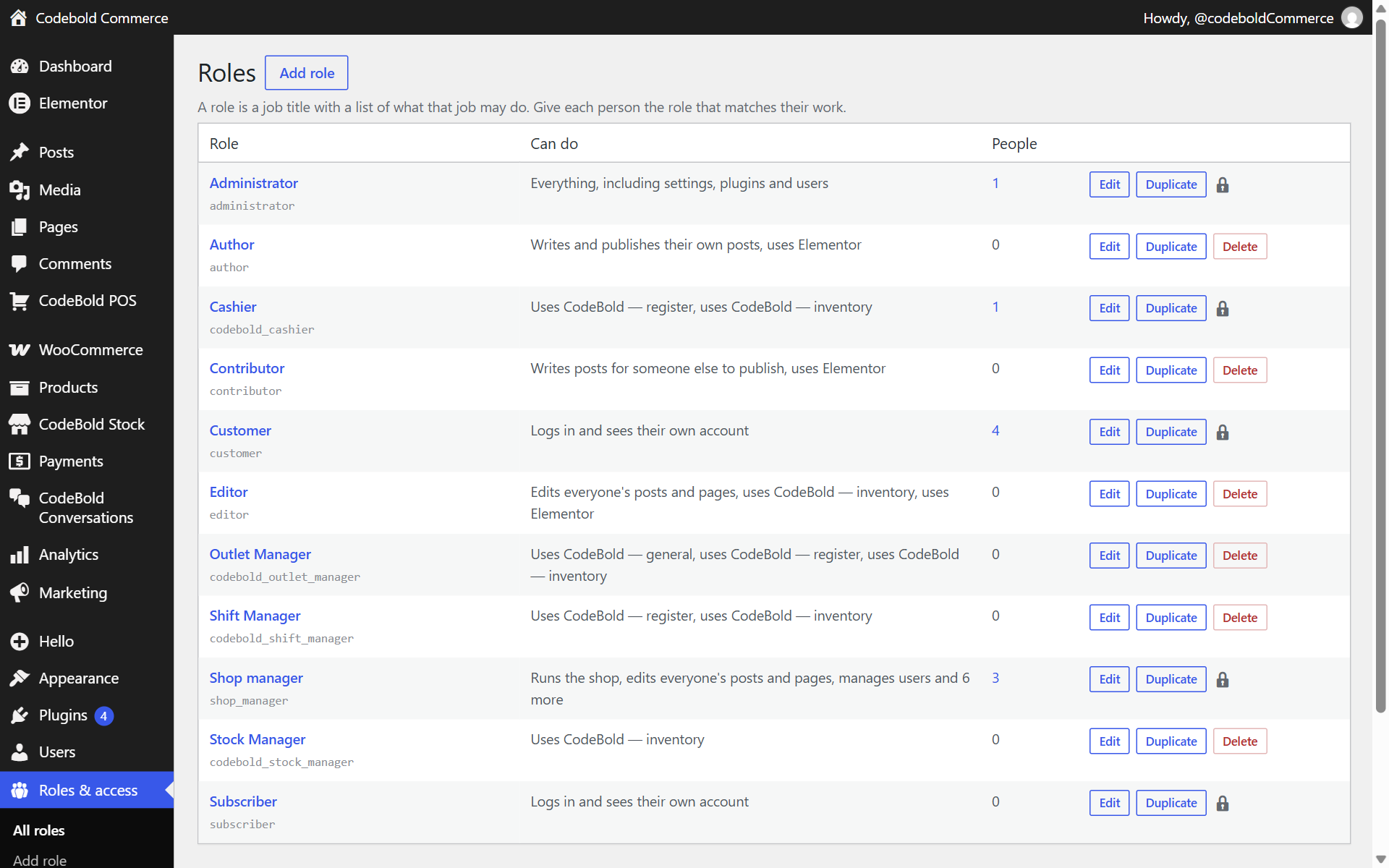
Use them as they are, or take them apart. They are ordinary WordPress roles carrying the suite's permissions, not a parallel user system.
Cashier
Sells and opens a shift. Cannot close the drawer, discount, override or refund.
Shift Manager
Everything a cashier does, plus closing the shift, discounts, voids, refunds, cash movements and POS reports.
Stock Manager
The supply side — suppliers, purchase orders, receiving, costing, stock takes, transfers. Reports, but no till.
Outlet Manager
All twelve till permissions and the inventory group. The role you give the person who runs the shop.
403, not a
missing link.
A cashier who types the reports address straight into the bar gets a refusal naming the permission they do not have. Not a blank screen, not a redirect to the dashboard, and certainly not the page.
Pick a role on the right and watch it type the address.
Checked at the menu · checked again at the page
About Members.
Is this a paid-memberships plugin?
What does "checked twice" mean?
Can I lock an administrator out?
Can I build my own roles?
Free, and
what paying adds.
Everything below works forever, on one website, with no account and no card.
- Edit any role, with every permission shown as a checkbox
- Create roles, or duplicate one that is nearly right
- Give one person more than one role
- Keep a page, post or product for the roles you choose
- Hide part of a page with a shortcode
- Put the whole site behind a login
- The administrator can never lose the permissions that let a human log in
Everything in free, and:
- Log in as another user to see exactly what they see, without their password
- An audit log of every role and permission change — who, what and when
- Control the admin menu per role, so a hidden page is genuinely blocked
- Restrict navigation menu items by role
Free, and it stays free.
Like the rest of it.
Members works on its own, and it is the permission layer the till and the stockroom check against.